Server API quickstart
This example sends an active transactional template to a profile external ID. Run it only from a trusted server.
Prerequisites
- Create an environment and at least one push-configured app.
- Create and activate a transactional template with key
order_shipped. - Define template variables such as
first_nameandorder_number. - Create an environment access key scoped to the target app.
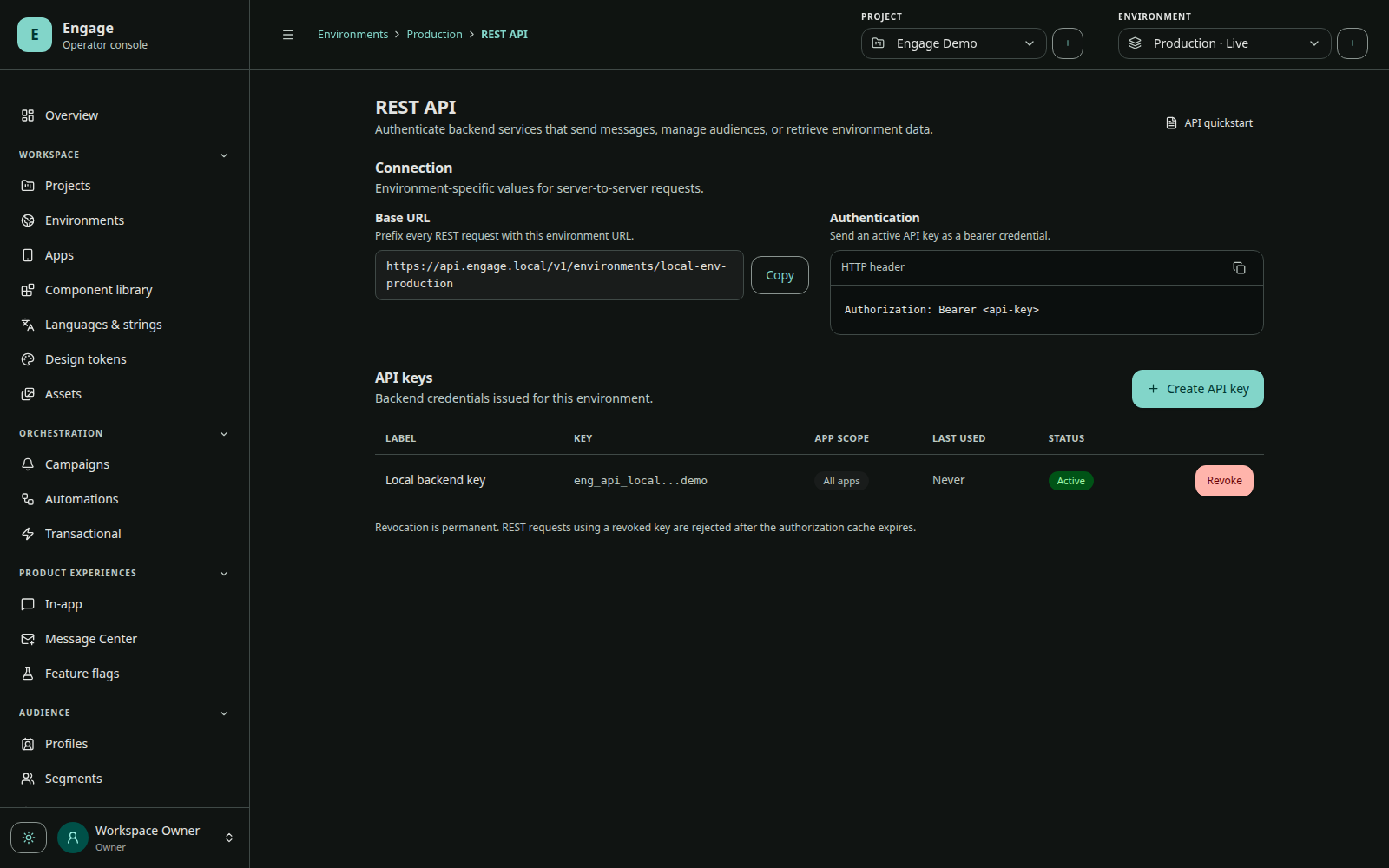
- Copy the environment ID and API base URL from REST API in the console.
Store server configuration
export ENGAGE_BASE_URL="https://YOUR_ENGAGE_HOST"
export ENGAGE_ENVIRONMENT_ID="YOUR_ENVIRONMENT_ID"
export ENGAGE_ACCESS_KEY="engk_REPLACE_WITH_SECRET"
ENGAGE_ACCESS_KEY is shown once and cannot be recovered. Store it in a secret manager, never in a mobile app or source repository.
Send the notification
curl --request POST \
  "$ENGAGE_BASE_URL/api/v1/environments/$ENGAGE_ENVIRONMENT_ID/transactional/order_shipped/send" \
  --header "Authorization: Bearer $ENGAGE_ACCESS_KEY" \
  --header "Content-Type: application/json" \
  --data '{
    "recipient": {
      "type": "EXTERNAL_ID",
      "value": "customer_123"
    },
    "locale": "en-US",
    "variables": {
      "first_name": "Ada",
      "order_number": "ORD-2026-1042"
    },
    "idempotencyKey": "order-shipped:ORD-2026-1042"
  }'
The API returns 202 Accepted after validating authorization, template state, variables, recipient, app scope, rate limit, and idempotency, then admitting the durable delivery.
{
  "accepted": true,
  "resolvedLocale": "en-US",
  "renderedTitle": "Your order is on its way",
  "renderedBody": "Order ORD-2026-1042 has shipped.",
  "renderedDeepLink": "example://orders/ORD-2026-1042",
  "renderedCustomData": {},
  "targetAppIds": ["YOUR_APP_ID"],
  "diagnostics": [],
  "requestId": "019c…"
}
Accepted is not the same as delivered. Follow provider and receipt analytics using the returned request ID and delivery records.
Recipient types
| Type | value |
|---|---|
EXTERNAL_ID | identity used by your backend, such as customer_123 |
PROFILE | Engage profile ID |
INSTALLATION_ID | one Engage installation ID |
TEST_GROUP is available only from console test sends and is rejected by the public transactional endpoint.
Production checklist
- Generate a unique, stable idempotency key per business operation.
- Set explicit connect and response timeouts.
- Retry transport failures and retryable status codes with backoff using the same idempotency key.
- Do not retry validation or authorization errors unchanged.
- Rotate and revoke access keys through the console.
- Restrict each access key to the minimum set of apps.
Continue with Authentication and Transactional push.