Diagnostics
Investigate from the outer configuration boundary toward the device. Avoid jumping directly from a low open rate to a provider conclusion.
Installation checklist
- Correct environment and app key.
- SDK start succeeded with expected version/endpoint.
- Installation ID appears under the expected app.
- Privacy and runtime features permit the operation.
- Pending SDK operations converge.
- Profile binding and generation are expected.
- Events/attributes/subscriptions appear at the right scope.
Push trace
Collect broadcast/request ID, delivery ID, environment/app, installation ID, provider, attempt count, provider code, token invalidation state, timestamps, TTL, priority, and collapse key.
Content trace
For in-app, record experience ID, published version, app, profile/installation, sync version, audience result, trigger event/screen, schedule, frequency counters, priority/conflict result, locale/variant, placement, and display decision.
For Message Center, record entry ID, template/revision, summary/detail rendering resolution, locale, cache state, read mutation, and action result.
Automation trace
Use run ID and step executions. Check entry trigger, audience/re-entry result, published version, current step, available/claimed times, retries, quiet hours, target app intersection, and failure code.
Health and quotas
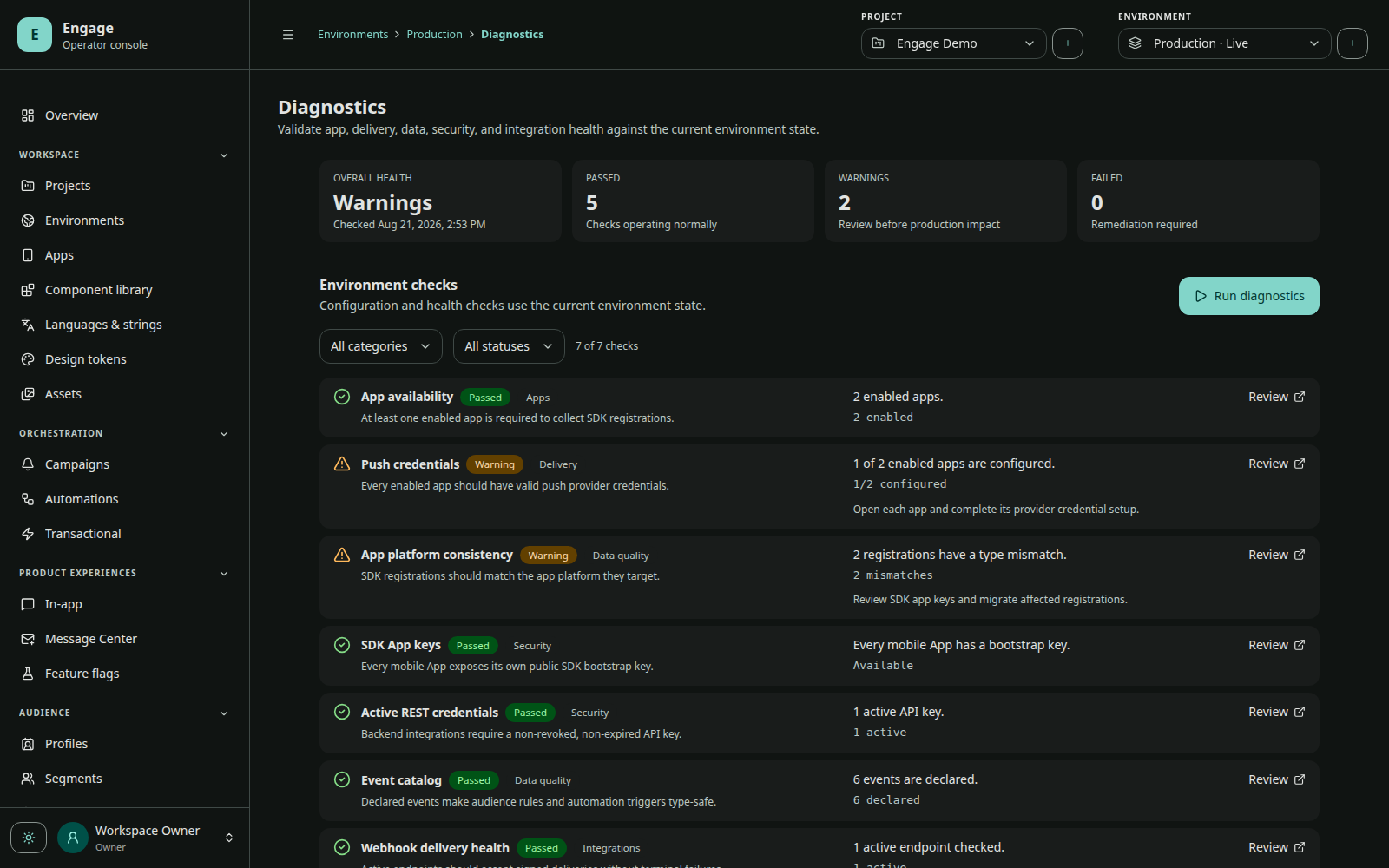
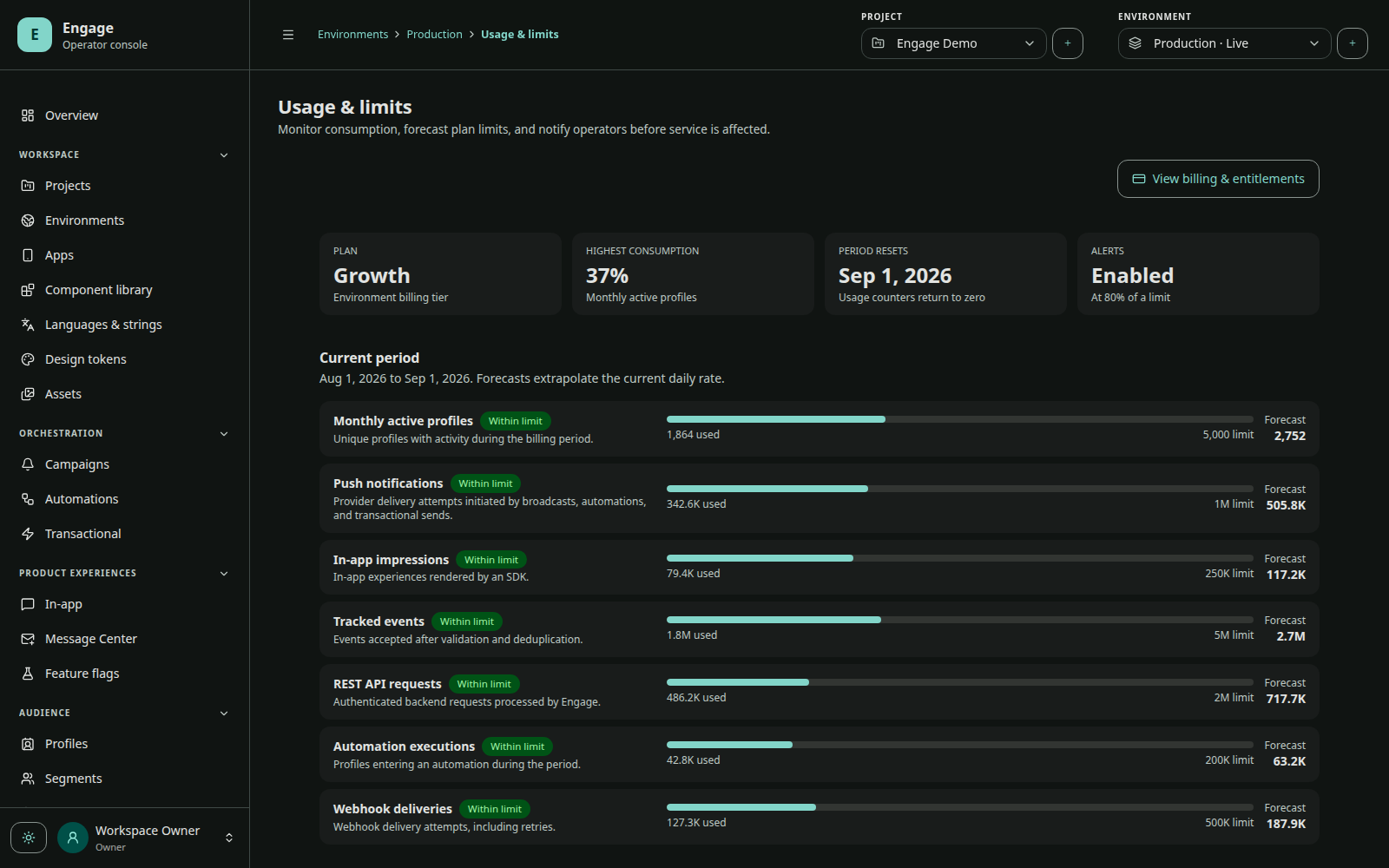
Operations diagnostics report provider readiness, active access keys, worker health, webhook health, API usage, audience/event freshness, quota pressure, retention, and billing state. A warning may indicate missing configuration rather than an outage.
Safe support bundle
Include:
- environment/app labels and non-secret IDs;
- app, SDK, OS, and device versions;
- installation ID;
- message/request/run IDs;
- UTC timestamps and timezone;
- redacted SDK/server logs and provider error codes;
- exact reproduction state (foreground/background/terminated).
Exclude app/access keys in full, installation credentials, push tokens, provider credentials, webhook secrets, binding codes, and personal payload values.