Push providers
Provider credentials belong to an Engage app and are stored encrypted by the backend. They authorize Engage to hand messages to the native transport; they do not define audience membership.
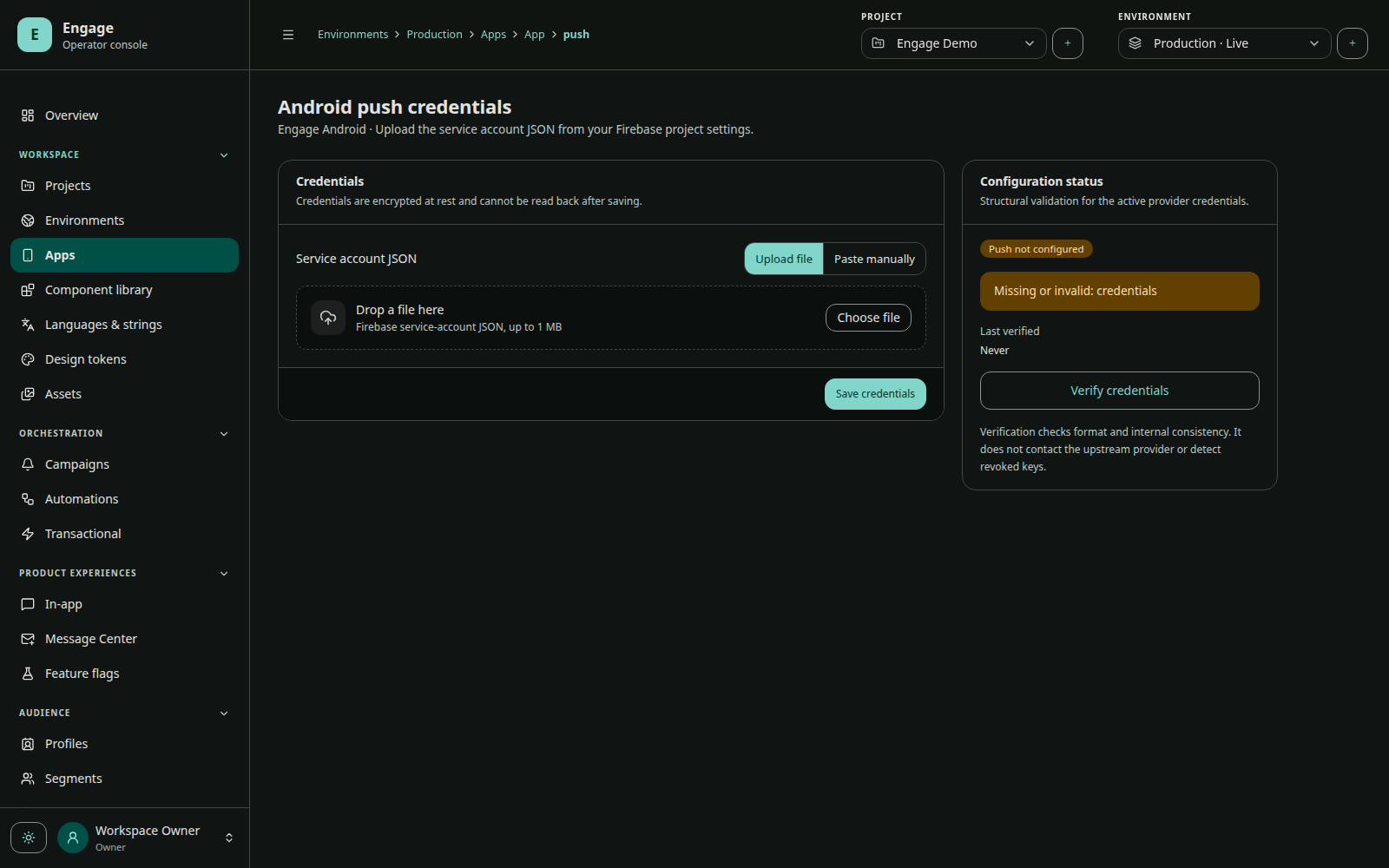
Android / FCM
Configure a Firebase service account for the same Firebase project used by the Android application. The host app also includes its Firebase configuration and Google Services plugin. Engage selects an installation/token from its app/environment registry before calling FCM.
The Android SDK receives Engage data, validates/deduplicates it, builds the notification with the configured channel/icon, posts it, and records lifecycle receipts.
Verify
- credentials validate in the console;
- app package uses the intended Firebase project;
- token registration becomes ready;
- configured channel keys exist in the SDK startup config;
- test send is accepted by FCM and one notification appears;
- invalid/uninstalled tokens are eventually removed from eligibility.
iOS / APNs
Upload an APNs .p8 authentication key and configure Key ID, Apple Team ID, and bundle topic. The application enables Push Notifications and appropriate Background Modes, requests system permission, and forwards APNs registration callbacks to Engage.
Firebase APNs configuration is irrelevant to Engage iOS delivery. Keep it only if another part of the app independently uses FCM for iOS.
Development and production APNs environments are native Apple transport boundaries. Ensure bundle, provisioning, topic, and credential permissions match the distributed build.
Web Push
Configure the web app’s Web Push/VAPID credentials and service-worker integration. Web installations remain scoped to the Engage app/environment like mobile installations.
Credential operations
- Never place provider credentials in app binaries.
- Rotate before key expiry or after team/role changes.
- Validate new credentials before revoking the old credential where the provider permits overlap.
- Monitor provider diagnostic codes and invalid-token cleanup.
- Keep separate credentials/projects for operational environments when possible.
Provider acceptance is not display
FCM/APNs acceptance means the provider accepted a request. Device delivery, notification display, and user open happen later and may not be observable on every platform/version. Keep these metrics separate.